Writing an academic paper is a combination of art and science. Master it, and you will hold a powerful weapon in your hand that will help you to succeed in your career.
As a research-active academic, research scientist or PhD researcher, you will be expected to write a lot – from research proposals, through reports for funders and sponsors, through our popular research articles.
If you enjoy writing and analysing data, doing research can be heaven!
It definitely is for me! As a research-active academic, I love to dive into data to find new correlations and trends and develop new technologies, analytics tools and frameworks. You can read some of my scientific work here.
There are lots of research tools that can support your writing and data analytics during your research project.
Following on my previous post on research tools to supercharge your literature review, I decided to share the research tools for data analysis and research that I currently use.
Table of Contents
Research tools for writing and collaboration
It goes without saying that an efficient word processing program is essential to achieve high productivity in your writing.
Yes, you can write your work in Notepad, which is a fundamental text program introduced by Microsoft. But would this be an efficient research tool? Well, you can answer this for yourself.
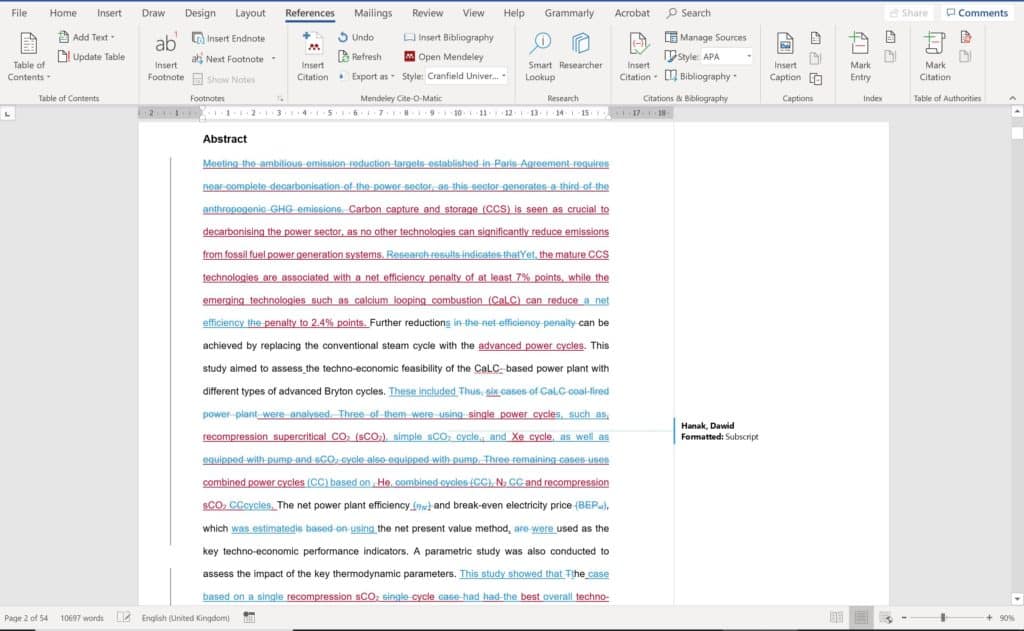
MS Word
MS Word is the most popular word processing software. It is rich in features and capabilities, allows you to use style and document templates, integrates with reference management tools, like Mendeley.
Introduction of Office365 also enabled you to edit your documents and collaborate in the cloud, which is awesome.
Yet, unless your institution has an academic licence, it can be pricey compared to other options.
Google Docs
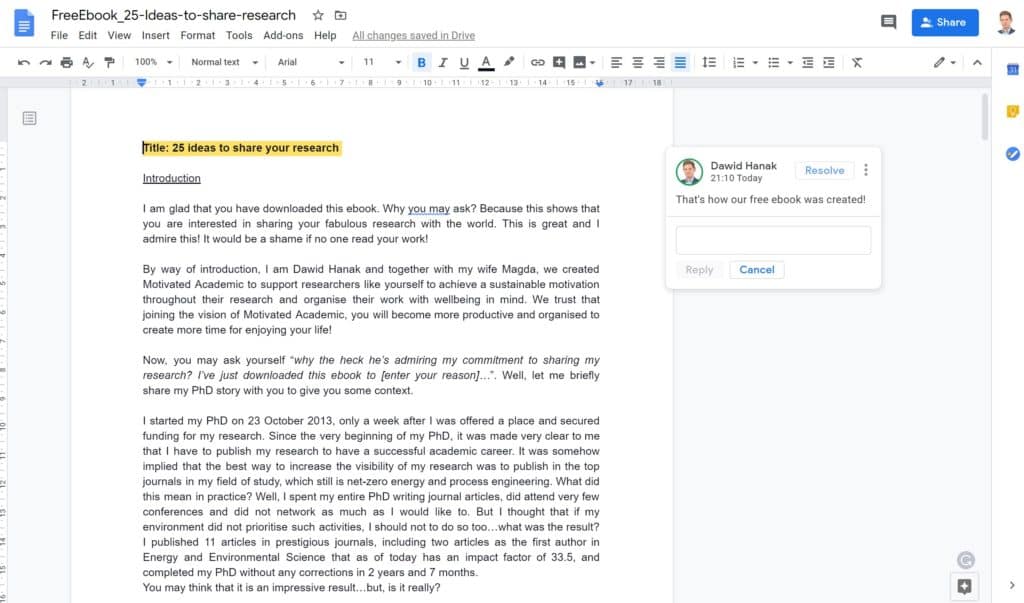
If you are working with a limited budget, Google Docs can be an exciting alternative to MS Word. I see it as a successful response of Google to years of Microsoft’s monopoly in this space.
Google Docs has nearly the same capability as MS Word, except it does not support Mendeley. There is, however, and alternative – PaperPile – but considering user feedback, its developers still have some work to do to make it as effortless to use as the combo of Mendeley and MS Word.
It goes without saying that Google Docs is a cloud-based word processor, which supports real-time collaboration and documents sharing via Google Drive. It is possible to use it offline, but you need to download an appropriate plugin beforehand.
Grammarly
As you may have already noticed when doing your literature review, the majority of research articles are published in English. For example, roughly 80% of journals are published in English. It is, therefore, that your article is written clearly and appealingly.
I tend to get all my research articles proofread by a native English speaker. This is not only to make sure the grammar and spelling are OK but mostly to ensure the messages underlying the article are easy to understand.
Regardless of using a proof-reader, I use Grammarly that supports my writing with comprehensive feedback and recommendations to improve readability.
It also has an option to check my text for plagiarism, which is convenient.

TurnItIn
I use TurnItIn primarily to grade coursework and provide feedback, and check their work for plagiarism.
However, it can also be used check research papers and proposals to avoid any unintentional plagiarism.
Research tools for data analytics and visualisation
Analysis of data, regardless of its qualitative and quantitative nature, is at the heart of each research project.
However, to understand new trends and findings, and draw novel conclusions, you often need to run some kind of analysis, such as regression or statistical analysis.
MS Excel
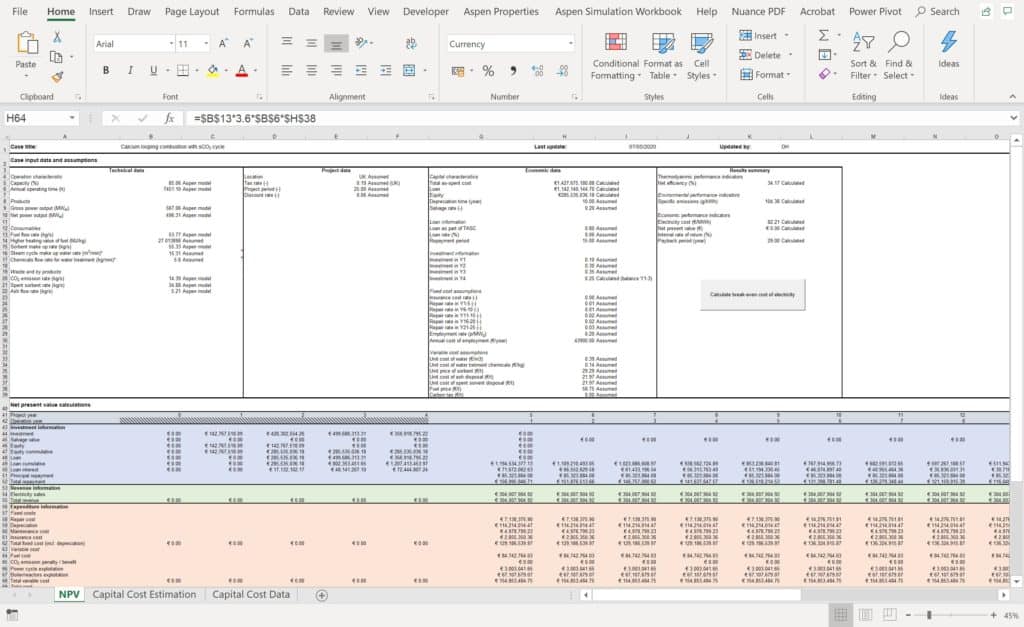
MS Excel is still one of the most popular and powerful tools for data analytics. This research tool lets you build models of your processes and phenomena using comprehensive spreadsheets and VBA. It also comprises some powerful in-build capabilities for data analysis, including regression analysis, statistical analysis or even hypothesis testing.
MS Excel is also a powerful engine for data visualisation that may support your understanding of the data you analyse. Similarly to MS Word, it can be operated in the cloud, via OneDrive or Sharepoint. This is an excellent feature for collaboration with your research team!
SPSS
SPSS is an advanced research tool with a remarkable and powerful, yet robust platform for statistical analysis of data.
Although you can perform a statistical analysis and manipulate data in MS Excel, the SPSS was designed with statistics in mind and, thus, it offers better speed and performance.
SPSS includes in-built tools for data manipulation and enables you to perform more sophisticated analytics, such as factor analysis, hypothesis testing, a wide range of regression analyses (linear, non-linear, logistic), cluster analysis and many more.
If you do not have access to SPSS licence, you can try the open-source code called, ironically, PSPP.
Matlab
Matlab is a powerful numerical computing environment and programming language that enables you to build your own models, analyse data and design processes using matrix and array mathematics.
It differs from MS Excel and SPSS, you process your data in the form of matrices or vectors. It includes an extensive library of built-in functions and toolboxes not only for statistical analysis but also for building artificial neural networks, implementation of stochastic analysis or spatial statistics.
Being a programming language, Matlab enables you to develop your own codes. This means that even if a particular type of analysis does not exist, you can build it yourself.

A great feature of Matlab is its powerful data visualisation toolbox that let you prepare figures for your research articles or research reports.
If you do not have access to Matlab licence, you can try the open-source code called R.
MS Visio
MS Visio is a flowchart maker and diagramming software, which is an essential research tool to represent your work. It lets you prepare professional diagrams and charts to represent your ideas. You may use it to present engineering designs, flowcharts, Gantt charts, algorithm layouts and many more.
It is simple to use and includes multiple templates that can make your work more efficient. It integrates with MS Office 365 and lets you work in the cloud with your research team.
I tend to use it to create process flow diagrams, brainstorming, organisational charts and many others. Below you can find an example of the process flow diagram from one of the research papers that was published as a part of the recent research project I supervised!

Adobe Illustrator
Adobe Illustrator is an advanced graphic design software that lets you bring your data visualisation to the next level.
It requires a subscription to a Creative Cloud and the learning curve is definitely steeper than that for the MS Visio, but the Adobe Illustrator is a much powerful tool.
Although I am still learning how to use it in my research, there are some well-documented tutorials on how to use it.
A final word…
Writing an academic paper is a combination of art and science.
However, there are as many ways to write one as there are researchers.
Each of us has preferred research tools for writing, proofreading, data analysis and visualisation.
And you know what? This is great – it makes our research paper special, especially when it comes to data visualisation.
Most of the research tools I mentioned here need a licence/subscription. There are, however, some open-source codes or free packages (i.e. MS Office vs Google Docs; Matlab and R; SPSS and PSPP) that will also help you in your work.
What research tools do you use to process your data? Do you have any favourite research tools? Share your graphs and charts and tag us on Instagram or Facebook (@motivatedacademic)!